Sidebar
The Sidebar is divided into two main sections:
- Fixed section: Shows general information about the graph, such as the total number of nodes and links, and useful metrics.
- Dynamic section: Displays details of the currently selected node or link. Selecting an element in the graph updates this part automatically.
These two sections allow users to analyze the overall graph structure and inspect specific elements interactively.
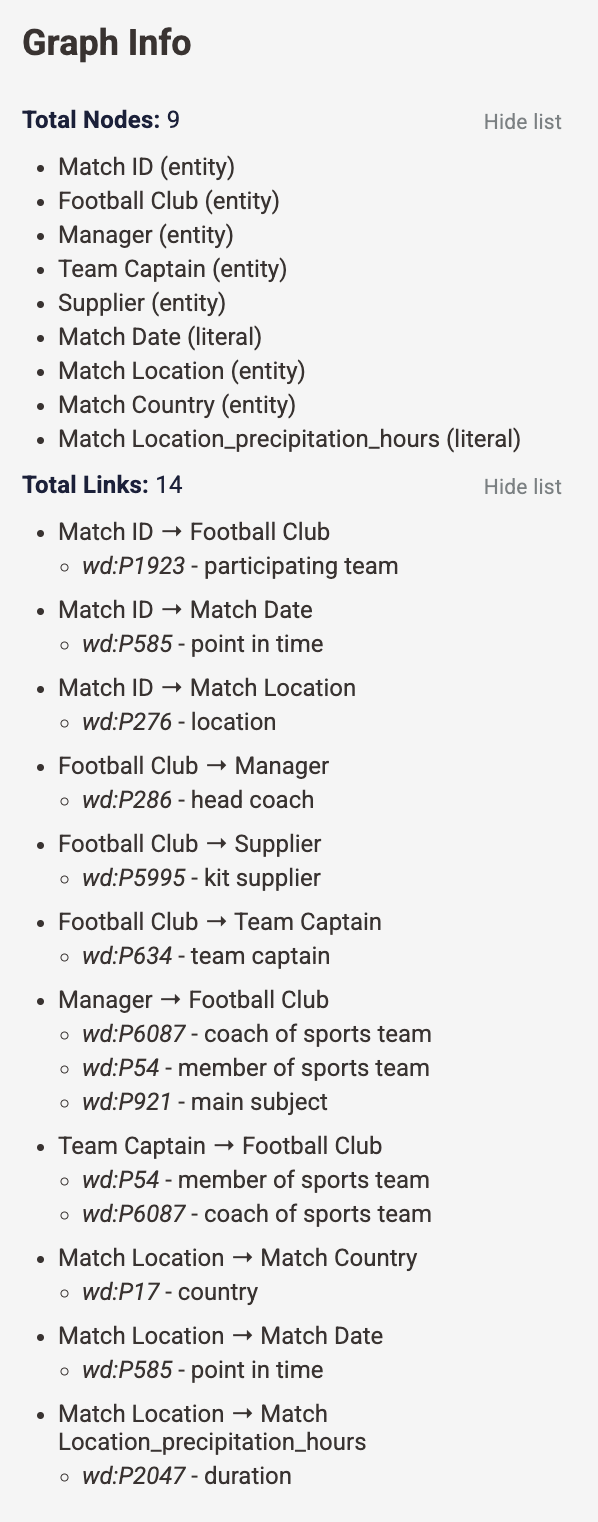
Graph Info
This fixed section displays general information about the entire graph:
- Total Nodes: Number of nodes in the graph.
Show listdisplays all nodes with their type (Subject, Entity, Literal). - Total Links: Number of edges connecting nodes.
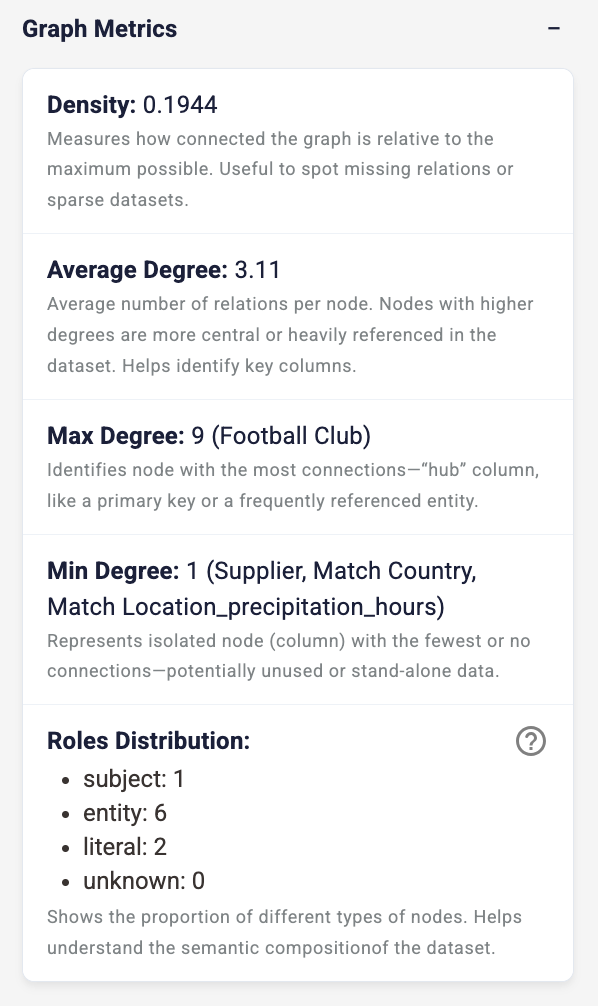
Show listdisplays all links with their property and label. - Graph Metrics: Key metrics help analyze the graph structure semantically, such as density for spotting missing relations or sparse datasets, max degree to identify the node with the most connections, typically the most referenced entity, and so on.
Compliance Summary
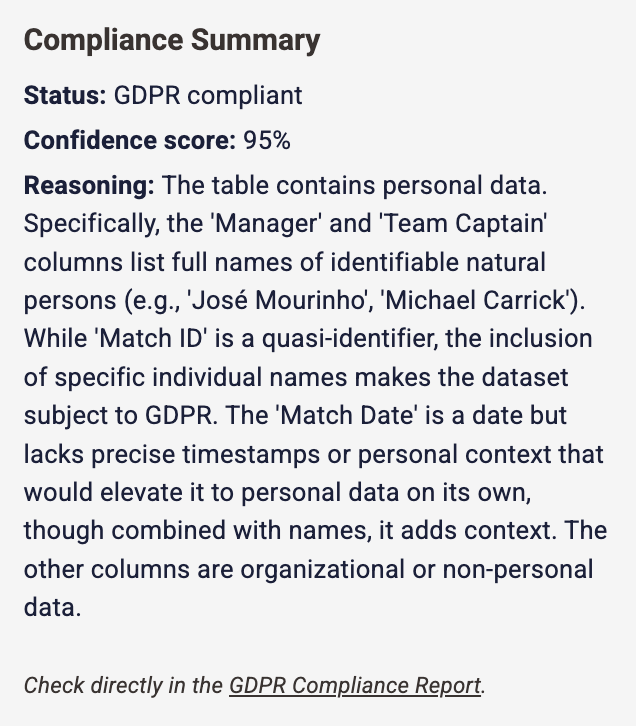
When compliance is enabled, this section provides an overview of the dataset's privacy status:
- Status: Indicates whether the data is "GDPR compliant" or not, only if a compliance check has been performed.
- Confidence score: A percentage reflecting the reliability of the classification.
- Reasoning: A detailed explanation of the findings, including which data types (e.g., personal, quasi-identifiers) were detected and why.
Selected Node/Link Details
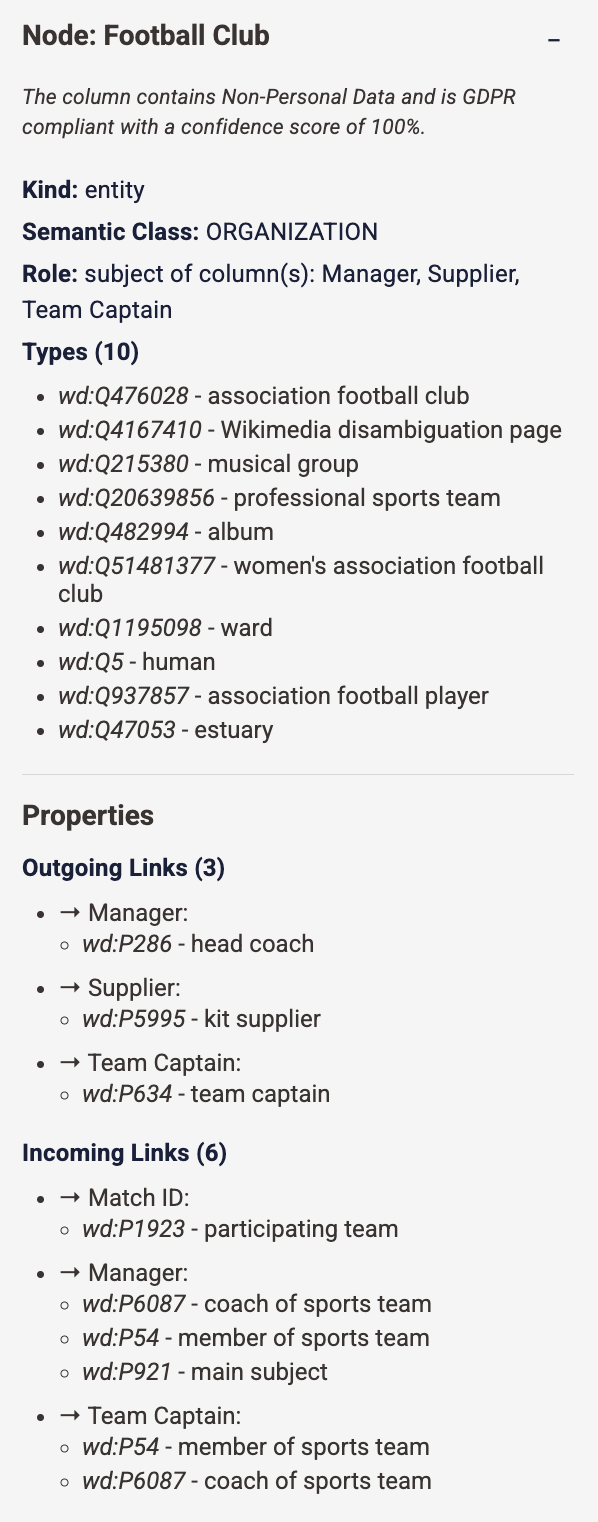
The second part of the Sidebar is dynamic and updates according to the element selected in the graph. After selecting an
element, this section can be collapsed using the - button, allowing you to hide the details and focus on the graph
general information when needed.
When an element is selected, the Sidebar shows contextual information:
- Selected Node: Displays semantic details about the node, including:
- Compliance info: Summarizes the data classification and its compliance status along with the confidence score.
Only visible when
Show compliancebutton is active. If no check has been performed, the status is marked as "Not performed". - Kind and role: Describes its function in the graph.
- Types: Represents its semantic classification.
- Incoming and outgoing connections: Describes how the node is related to others in the graph.
- Compliance info: Summarizes the data classification and its compliance status along with the confidence score.
Only visible when
- Selected Link: Displays information about the relationship between two nodes, including:
- Metadata: Defines the relationship. When multiple properties link the two elements, a list of all the properties IDs is provided.
- Source and Target types: Lists the associated types for each endpoint.
Show typesexpands all associated types to inspect their semantic meaning.
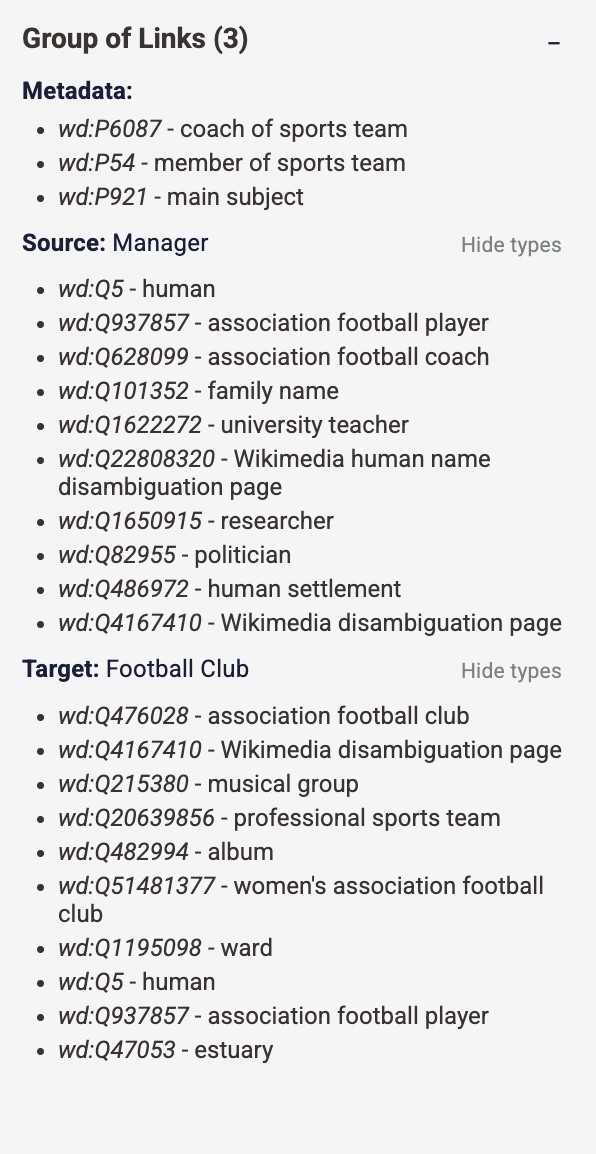
This dynamic view helps you understand both the structure of the graph and the semantics behind each connection, directly from the Sidebar.